
Showing posts with label science. Show all posts
Showing posts with label science. Show all posts
Tuesday, 23 May 2017
Monday, 22 May 2017
A Peaceful Protest
Mr. Lewis's KG class inquired into sea animals. They were interested in learning:
- What does my animal need to survive?
- Where does my animal live?
- How can it live there?
- How can we help these animals survive?
To culminate their learning, the students chose to lead a peaceful protest and share with others the importance of not polluting the oceans.

Sunday, 16 April 2017
Wednesday, 15 February 2017
Make a Class Book of New Learning
Kindergarten students have been busy inquiring into tree frogs in Ms. Burant's class. They have wondered, researched, interviewed experts, observed, and reflected on their learning. Each student has chosen a fact to share in their class book, The Green Tree Frog: Fun Facts.

Students made the posters in Pic Kids.
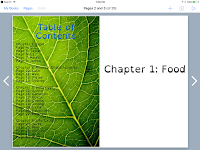


Students made the posters in Pic Kids.


A High School Interim student, Matt, compiled the posters into a class book using the app, Book Creator.
Here is a video showing the almost finished book. A few students have been absent who need to contribute to the book and a few more voices need recording.
Tuesday, 1 December 2015
QR Code Quest
Grade 1 students have begun their unit on weather in Science. What better way to generate interest in this topic than looking at extreme weather!?! Tornadoes, hurricanes, tsunamis, blizzards, and thunder/lightning always intrigues students.
Students in Miss Kumar's class chose an extreme weather from six different options and followed a QR Code Quest to learn more information about their extreme weather. In order to complete their quest for information they had to:
Students were engaged throughout the process and all students learned at least one new piece of information about their extreme weather from their QR Code Quest!
Students in Miss Kumar's class chose an extreme weather from six different options and followed a QR Code Quest to learn more information about their extreme weather. In order to complete their quest for information they had to:
- scan a QR code with a video about their extreme weather
- write down 1-2 observations from the video
- scan a QR code to access PebbleGo and login to find the eBook about their extreme weather
- write down 1-2 facts from the book
- scan a QR code with directions on what to do with their researched information
- create a product on their ipad (using Pic Kids, Book Creator, Yakit, or Doodlecast Pro) sharing what they learned
Students were engaged throughout the process and all students learned at least one new piece of information about their extreme weather from their QR Code Quest!
Resources Used:
- YouTube videos of extreme weather
- PebbleGo
- BrainPop
- Handout created by teacher
Sunday, 5 April 2015
QR Code Work Choice
Students in Grade 1 are becoming extremely independent learners with their ipads in our 1:1 program. For this lesson, students are exposed to three different stations and they can choose one to complete. The goal is for them to scan the QR code at the station, watch the directions, and then follow the directions from the video to create their project.
Station 1
Students apply their knowledge of cloud types learned in science class to make a clouds iMovie.
Station 2
Students apply their mathematical thinking skills to make a screencast of how they solve a math problem.
Station 3
Students create a drawing of their NF research animal in its natural habitat as a background. They then make the animal 'talk' and share some of the new learning they discovered when researching the animal.
Station 1
Students apply their knowledge of cloud types learned in science class to make a clouds iMovie.
Station 2
Students apply their mathematical thinking skills to make a screencast of how they solve a math problem.
Station 3
Students create a drawing of their NF research animal in its natural habitat as a background. They then make the animal 'talk' and share some of the new learning they discovered when researching the animal.
Below is a student sample from each station.
Wednesday, 12 March 2014
Showcasing Nonfiction Learning
First graders are exploring different ways to showcase their nonfiction research. They were given options of making a nonfiction book using the app Book Creator, designing a presentation in the app Haiku Deck, or producing an iMovie. Here are a few samples below.
iMovie
Haiku Deck
Created with Haiku Deck, the free presentation app
Book Creator (open the link in iBooks on an ipad)

Created with Haiku Deck, the free presentation app
Book Creator (open the link in iBooks on an ipad)
Thursday, 19 December 2013
Daily Weather Check
First grade students will be studying weather and record the daily temperature and cloud coverage for a particular city to track its weather. At the end, students can compare various weather patterns from cities around the world with their classmates.
Daily, students will:
1. Choose a city
2. Click on its 'globe'
3. Click on the link to find out that city's weather for the day
4. Record the weather on their monthly weather calendar
Daily, students will:
1. Choose a city
2. Click on its 'globe'
3. Click on the link to find out that city's weather for the day
4. Record the weather on their monthly weather calendar
Tuesday, 17 December 2013
Kelli's Weather Report
--
The new clip-n-clip feature in iMovie is amazing! Here is a short sample I made quickly for our first graders who will be studying weather in January...can't wait to try it with them.
Subscribe to:
Posts (Atom)